Cyber attacks do not only affect large companies. Small and medium-sized businesses also store customer records, financial details, employee information, and important files.
Why Cyber Security Can No Longer Wait
Every Business Is a Potential Target
Cyber attacks do not only affect large companies. Small and medium-sized businesses also store customer records, financial details, employee information, and important files. This makes them valuable targets. Attackers often look for weak passwords, outdated systems, and untrained employees.
A single incident can interrupt daily work. It can also damage customer trust and create costly recovery work. Therefore, businesses need practical cyber security solutions before a problem occurs. Prevention is usually faster and less expensive than recovery.
Security Supports Business Confidence
Good security does more than protect systems. It helps employees work with confidence. It also assures customers that their information is handled responsibly. When people trust a business, they are more likely to stay loyal.
Moreover, strong security helps businesses grow without creating unnecessary risk. Teams can adopt new tools, cloud platforms, and remote work systems more safely. This makes cyber security a business priority, not only an IT task.
Use Strong Passwords and Multi-Factor Authentication
Weak Passwords Create Easy Entry Points
Passwords remain one of the most common security weaknesses. Employees may reuse the same password across several accounts. They may also choose passwords that are easy to guess. This can give attackers a simple way into company systems.
Businesses should encourage long and unique passwords. Password managers can also help employees store credentials safely. Clear password rules reduce risk without making daily work difficult.
Multi-Factor Authentication Adds Strong Protection
Multi-factor authentication adds another step to account access. A user may need to enter a code from a mobile app or confirm a login through a device. This makes it much harder for attackers to use a stolen password.
Businesses should enable multi-factor authentication for email, cloud storage, finance tools, and admin accounts. This is one of the most effective cyber security solutions available today. It offers strong protection with minimal disruption.
Protect Business Data With Backups and Encryption
Regular Backups Reduce Ransomware Risk
Ransomware can lock important files and disrupt operations. Attackers may demand payment before restoring access. However, secure backups give businesses another option. They can restore their data without relying on criminals.
Backups should run regularly. Businesses should also store copies separately from their main systems. It is important to test backups as well. A backup only helps when it can be restored quickly.
Encryption Protects Sensitive Information
Encryption turns sensitive information into unreadable data for unauthorized users. It protects files while they are stored and while they move between systems. This is especially important for customer details, payment records, and internal documents.
Businesses should use encryption in cloud platforms, email tools, and shared storage systems. It adds another layer of protection when a device is lost or an account is compromised. Strong encryption supports both privacy and trust.
Keep Systems and Software Updated
Outdated Tools Can Create Major Weaknesses
Software updates often include security fixes. When businesses delay these updates, they leave known weaknesses open. Attackers often search for outdated systems because they are easier to exploit.
Teams should update operating systems, browsers, business apps, and security software regularly. Automatic updates can make this easier. A simple update routine can prevent many avoidable problems.
Remove Tools That Are No Longer Needed
Unused apps and inactive accounts can create hidden security risks. A former employee may still have access to files. An old plugin may no longer receive updates. These gaps can give attackers an opening.
Businesses should review their tools often. They should remove unused software and close accounts that are no longer needed. This keeps systems cleaner and easier to secure.
Train Employees to Spot Cyber Threats
Phishing Awareness Can Prevent Attacks
Phishing emails often look real. They may copy the style of a bank, supplier, manager, or delivery service. The message may ask an employee to click a link, open a file, or share login details. A rushed employee may not notice the warning signs.
Training helps employees pause before acting. They should learn to check sender addresses, avoid suspicious links, and verify unusual payment requests. Practical awareness sessions can stop many attacks before they begin.
Build a Culture of Fast Reporting
Employees should feel comfortable reporting suspicious activity. They should not worry about blame when they make an honest mistake. A fast report can help the business contain a threat before it spreads.
Leaders should create simple reporting steps. Employees need to know who to contact and what details to share. An open security culture makes every team member part of the defense process.
Secure Networks, Devices, and Remote Access
Network Protection Keeps Threats Out
Business networks connect devices, applications, and employee accounts. Without protection, attackers may move through systems quickly. Firewalls, secure Wi-Fi settings, and network monitoring can reduce this risk.
Businesses should separate guest Wi-Fi from internal systems. They should also review who can access network resources. These basic controls create a stronger foundation for daily operations.
Remote Work Needs Clear Security Rules
Remote work gives employees more flexibility. However, it can create new risks when staff use personal devices or public networks. Businesses should set clear rules for remote access. They should also use secure virtual private networks where needed.
Device security matters as well. Employees should lock screens, update devices, and avoid storing sensitive files locally. These habits help protect business data outside the office.
Control Access to Important Systems
Give Employees Only the Access They Need
Not every employee needs access to every file or system. Giving broad permissions can increase risk. If one account becomes compromised, attackers may gain access to more information than they should.
Role-based access helps businesses control this. It gives employees access based on their responsibilities. This reduces unnecessary exposure and makes permissions easier to manage.
Review User Access Regularly
Access needs can change over time. Employees may switch roles, join new teams, or leave the company. Businesses should review permissions regularly to make sure they remain accurate.
This process should include cloud accounts, shared folders, finance tools, and internal systems. Regular access reviews help companies close security gaps before they become serious.
Conclusion
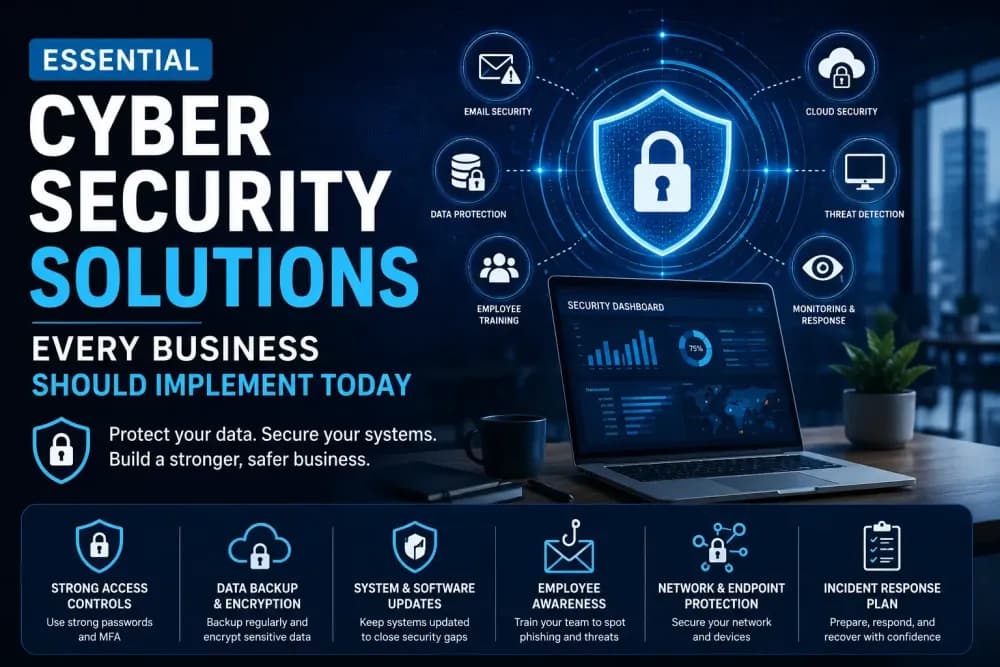
Every business needs practical cyber security solutions to protect its data, people, and reputation. Strong passwords, multi-factor authentication, backups, updates, employee training, access controls, and response planning all work together to reduce risk.
Cyber security is not a one-time task. It needs regular attention and clear habits across the business. When companies take action today, they can build a safer and more resilient future.